OpenSCAD: Free Script-Based 3D CAD for Windows, Mac and Linux
OpenSCAD 2021.01 · for Windows, macOS and Linux
Developer: OpenSCAD project (opens in a new tab)
- Windows
- macOS
- Linux
The download link points to the program’s official source; the file is not hosted on this site. Link address: openscad.org
Link not working? Let us know
OpenSCAD is a free, open-source 3D CAD modeller that creates solid models from a script. The current stable release is 2021.01 for Windows, macOS and Linux; newer development snapshots add features such as the Manifold geometry engine.
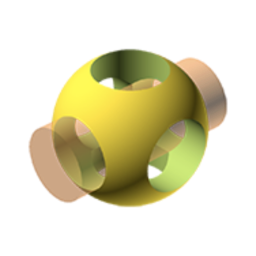
OpenSCAD takes an unusual approach to CAD. Instead of drawing and pushing shapes with the mouse, you write a short script that describes the object: a cube here, a cylinder subtracted there, rotated and repeated. OpenSCAD then renders the result as a solid 3D model.
Why people use it
- Parametric by nature: change one variable and the whole model updates. This suits enclosures, brackets, gears and other parts that come in sizes.
- Precise and repeatable: the model is plain text, so it can be versioned with tools like Git and edited in any text editor, including Visual Studio Code.
- Built for 3D printing: models export to STL and other formats for slicers.
- Libraries: the community publishes libraries of reusable parts.
Stable release or development snapshot?
The download page offers two tracks:
- Stable 2021.01: Windows 7 or newer (32 or 64-bit installer or ZIP), OS X 10.9 or newer (Intel), and Linux AppImages for x86-64 and ARM64. It is also available through WinGet, Homebrew and most Linux distribution repositories.
- Development snapshots: much newer builds, with improvements such as the new Manifold geometry engine, which you can enable in Preferences for a large speed boost. The macOS snapshots are universal builds for Intel and Apple Silicon and need macOS 11 Big Sur or newer.
How to install
- The Download button opens the official downloads page on openscad.org.
- Pick your system and the stable release or a snapshot.
- Install and open one of the built-in examples to see how scripts turn into shapes.
If you prefer to model visually, Blender is free; for mouse-driven parametric CAD for personal projects, see Solid Edge Community Edition.
Pros
- Free and open source
- Fully parametric models from plain text
- Runs on Windows, macOS and Linux
Cons
- Script-based modelling is not for everyone
- Stable release is old; new features are in snapshots
Frequently Asked Questions
Do I need to know programming to use OpenSCAD?
You need to write simple scripts, but the language is small and focused on shapes and transformations. Many users learn it from the built-in examples.
Should I use the stable release or a development snapshot?
The stable release is 2021.01. Development snapshots are much newer and include features such as the Manifold geometry engine, so many users choose them for speed.
OpenSCADOpen source
Download (opens in a new tab)